 SOMAXX
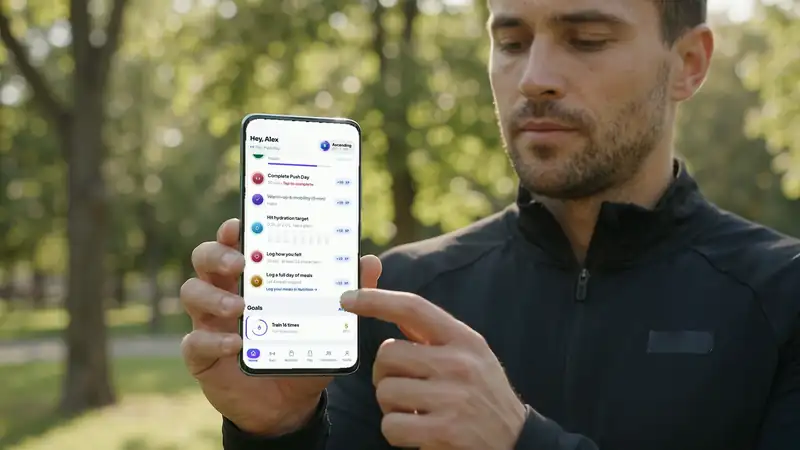
Clip by clip
Each one covers a single thing, in about ten seconds.
Getting started questions
Set upHow old do I need to be to use SOMAXX?
SOMAXX is for ages 8 and up. Posts, comments, friends and messages are for ages 16 and up: they stay switched off until the month you turn 16, then open by themselves. Everything else, like training, food, challenges, the league and your athlete, is there from the start. We go by the date of birth you give when you sign up.
Set upWhat is SOMAXX?
SOMAXX is a fitness app that brings your training, food and recovery together, and turns them into a game. You earn XP for what you do, level up your athlete, and take on challenges with friends.
Set upHow do I create an account?
Open SOMAXX and tap Sign up. Enter your email and choose a password. Then tap Create account. If you’re asked to confirm your email, open the link, then come back and sign in.
- Tap Sign up
- Enter your details
- Tap Create account
Set upHow do I sign in?
Enter your email and password, then tap Sign in. Your progress is saved to your account.
Set upHow do I reset my password?
On the sign-in screen, tap Forgot password. Enter your account email, and tap Send code. We’ll email you a code. Check your junk folder too. Enter the code, and choose a new password. It needs at least six characters. Then tap Save new password. No email? Tap Send another code.
- Tap Forgot password
- Get a code
- Save a new password
Set upBuild my plan or Quick start?
Tap Get started. Build my plan takes about two minutes. We build your week for you. Quick start takes under a minute. You build your own path. You can switch any time. Let’s build a plan, and tap Continue.
- Tap Get started
- Choose your path
Set upWhy does SOMAXX ask about me?
We use it for your profile and the league, and to set your starting loads and paces. Add your name, date of birth, height and weight. SOMAXX is for ages 8 and up, and posts, friends and messages open at 16.
Set upHow do I connect my watch?
Apple Watch syncs through Apple Health. Just allow Health access when you’re asked. With Garmin, first turn on Apple Health inside the Garmin Connect app. No watch? Your iPhone still counts your steps.
- Apple Watch
- Garmin
- No watch
Set upHow do I pick my sport?
Your week is built around this. Tap your sport. Then tap Continue. Do anything else? This part’s optional. Pick up to three. Each one gets a session a week. Or tap Skip for now.
- Pick your main sport
- Add anything else
Set upHow do I choose my goals?
Pick up to two goals. Runner? You can set a target too. It’s optional. Add your time now, and the time you want. Say how many runs you do a week right now. Then pick a length. The ones that would rush you are greyed out.
- Pick up to two goals
- Set a running target
- Pick a length
Set upHow do I set my level and days?
Be honest about your level. Beginner is fine after a long break. Choose how many days a week. And how long each session is.
- Your level
- Days a week
- Session length
Set upHow do I choose where I train?
Gym, at home or outdoors. Pick all that apply. Then tick the kit you have. We only suggest programs you can do with it.
- Pick your places
- Tick your kit
Set upHow do I create my athlete?
Choose Feminine or Masculine. Then choose a complexion. Hair and outfits come later. You’ll unlock more as you level up.
- Choose a base
- Choose a complexion
Set upWhat’s in my plan?
Your plan is built around your sport. Each day has a session, or rest. Below are the programs that fit you best: the higher the number, the better the fit. Tap Start training to begin.
- Read your week
- See what suits you
- Start training
Set upWhat happens with Quick start?
Choose Quick start, and tap Continue. You just need your name and age. The rest is optional. Create your athlete. Your week starts empty. Add programs, plans and meals any time. Tap Take me in. Want a plan later? In Train, tap Update training profile.
- Name and age
- Your athlete
- Take me in
Set upHow do I install SOMAXX?
Install Apple’s TestFlight app from the App Store, open your SOMAXX invitation on your iPhone, then tap Accept and Install. Updates appear in TestFlight.
Set upHow do I allow Health access?
When SOMAXX asks, turn on the data you want to share and tap Allow. To change it later, open the Health app, tap your picture, then Apps, then SOMAXX.
Set upCan I use SOMAXX without a watch?
Yes. Your iPhone still counts your steps through Apple Health, and you can finish workouts in the app. Coins need activity recorded by a device.